Pentomino and Sudoku: generate your own puzzles, print on A4 and play
Two small tools to generate your own tiling puzzles and Sudoku, then print them on A4 paper to play offline.
I have just made two more small games: Pentomino and Sudoku. This time, the part I most want to show off is the generator: a tool that creates puzzles for you, so every time you feel like playing there is a new challenge, and you do not have to hunt for ready-made puzzles.
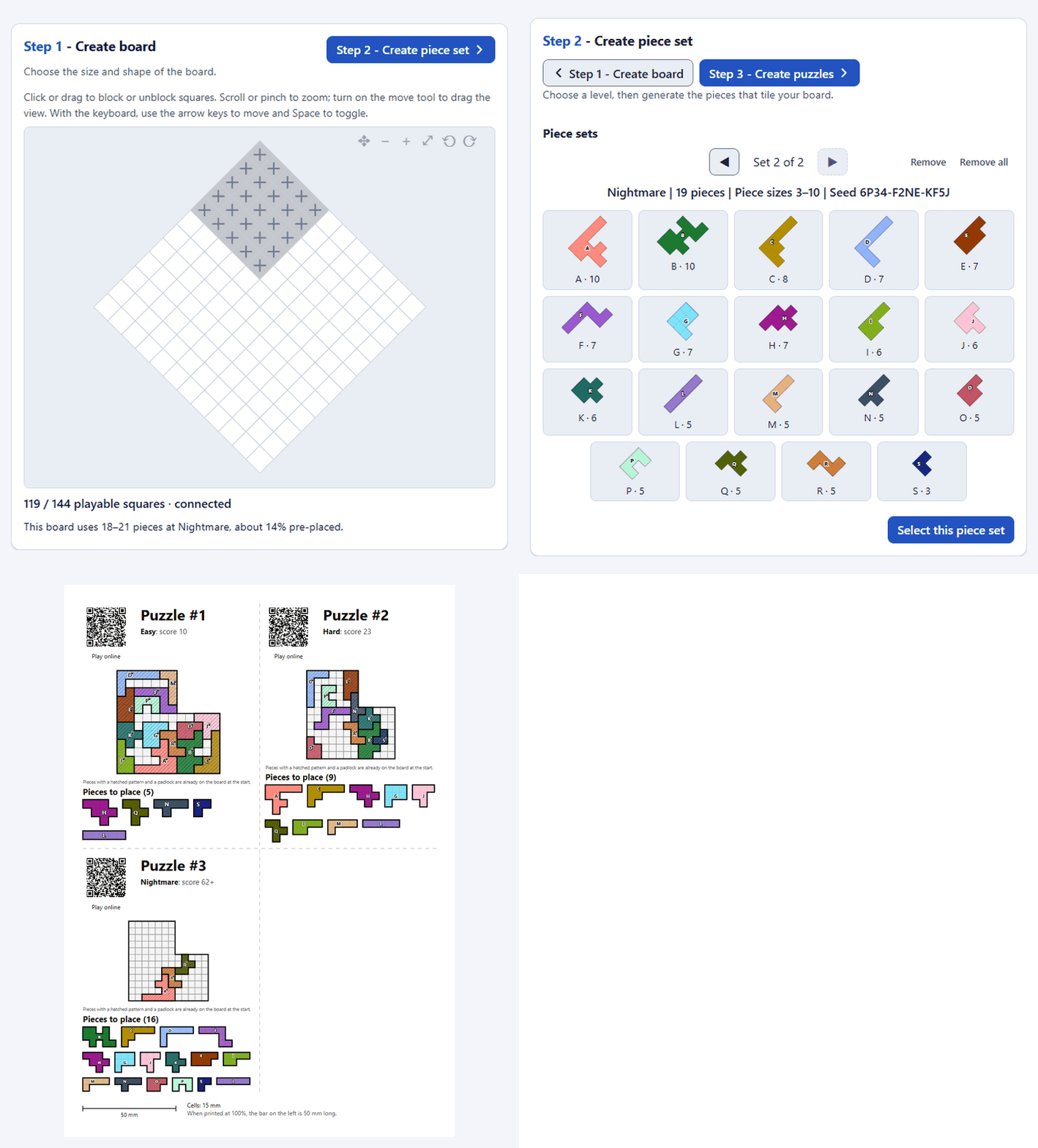
Pentomino: create your own tiling puzzle#
With the Pentomino Generator ↗, you place pieces so that they cover the whole board without overlapping. You can pick a board shape or block out cells yourself, generate a suitable set of pieces, and then create puzzles at the difficulty you want. There is even an option to require that a puzzle has only one solution.
The A4 printout has the board and the pieces to cut out: print it, grab a pair of scissors, and you have a paper puzzle set. You can also print the solutions to check against later.
Sudoku: not just the 9×9 grid#
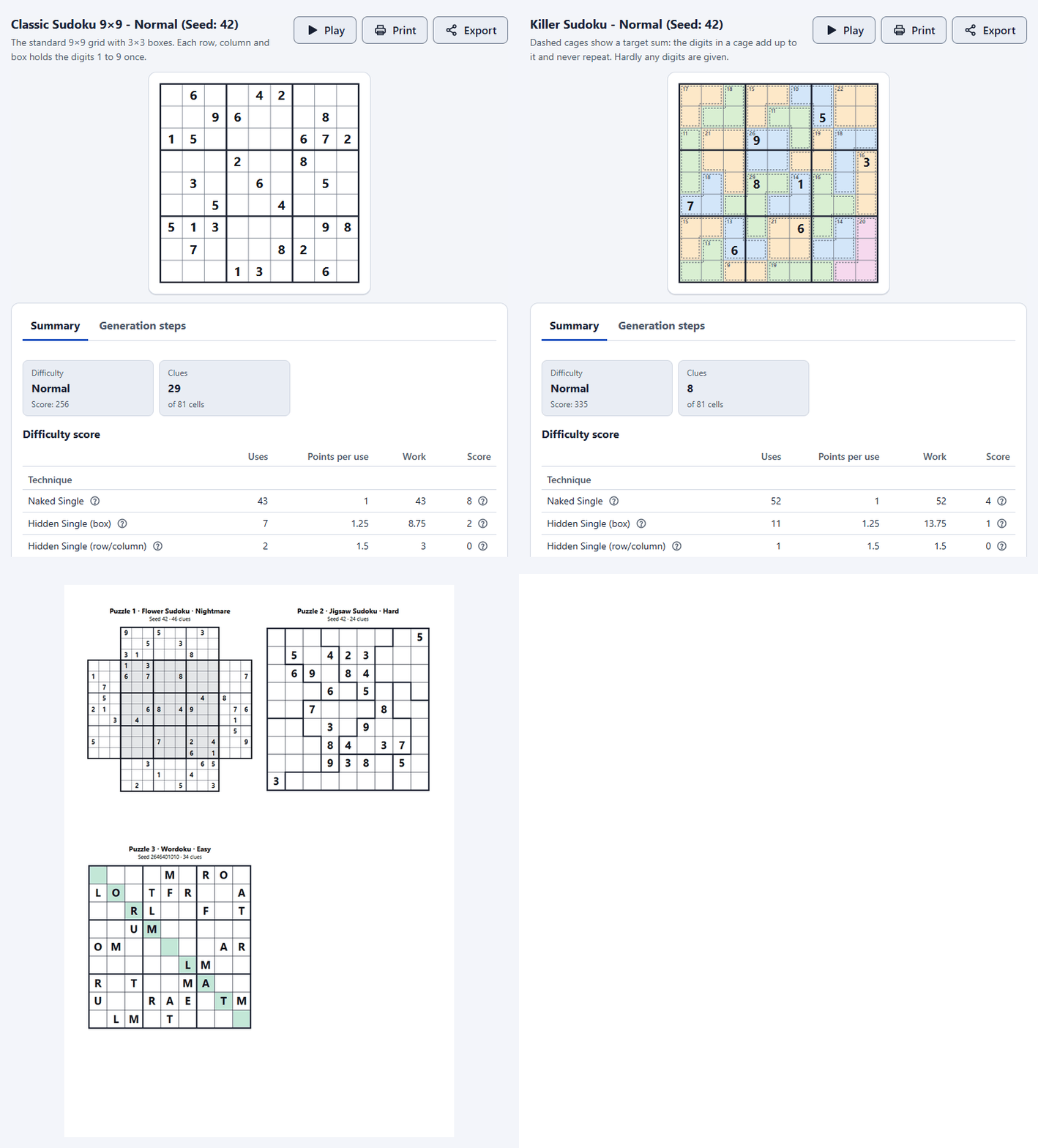
The Sudoku Generator ↗ has 15 variants, from classic Sudoku to Killer, Jigsaw or Samurai, along with many difficulty levels. Another fun detail is that you can replay, step by step, how the machine created a puzzle.
You can create many puzzles, choose to print 1, 2 or 4 per page, and keep the solutions on a separate page. Print on A4 paper or save as PDF and you instantly have a stack of puzzles to keep.
Create on the computer, play on paper#
Both come with English and Vietnamese interfaces and need no account or installation. Each game also has a player so you can play right in the browser, but that is only an extra: generate, print on A4 and step away from the screen is the way I want to recommend this time.
Try creating a few puzzles, get paper and a pen ready (and a pair of scissors if you pick Pentomino), and play whenever you have a free moment.